

Runs and queue state
Inspect the sample dashboard, pause or resume its queue and cancel the fictional active run.
A visible control room for agent work.
Agent Console demonstrates the operator side of AI development work: sample runs, queue controls, an event log, a diff review and an explicit review decision.
Interactive sample · Fictional data · Demo limits explained below
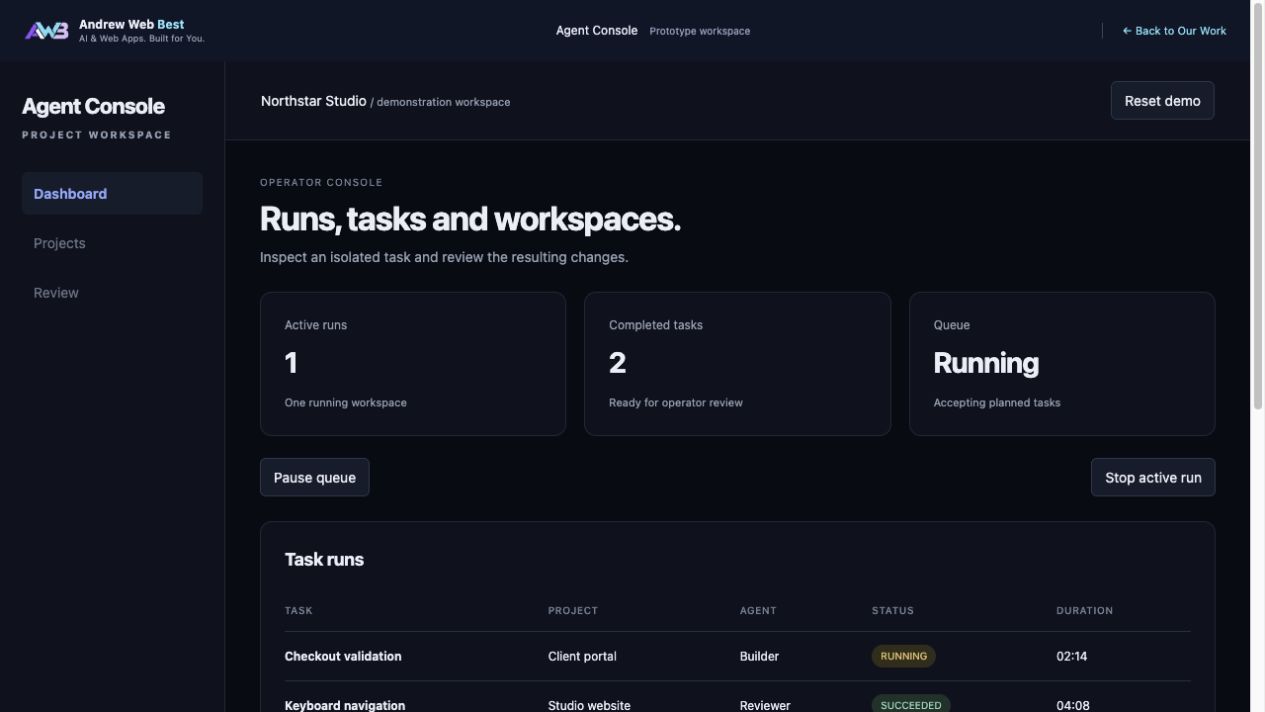
An agent workflow needs a place where someone can understand what is running and decide what happens next. This concept explores those controls with fictional runs and a sample code review.
Teams designing an interface for agent runs, coding workflows or human review.
Explore the control and review flow without executing code.
Inspect the sample dashboard, pause or resume its queue and cancel the fictional active run.
Read the sample diff and save an approval or a request for changes with a review note.
Inspect sample events and queue a new fictional task from the intake form.
Inspect running and completed sample jobs.
Pause the queue or cancel the sample active run.
Save an approval or request changes with a note.
Create a fictional task and find it on the dashboard.
Start with these tasks. You can explore the application at your own pace.
Pause the queue and observe that an existing run remains active.
Cancel the fictional active run.
Review the sample diff and request changes with a note.
Tell us which agent runtime, repositories, run controls and review permissions need to be part of the demonstration. Contact us to discuss the scope and arrange a demonstration for your workflow.
Explore 40 service areas and their project briefs. Work is delivered remotely; in-person meetings are agreed individually.
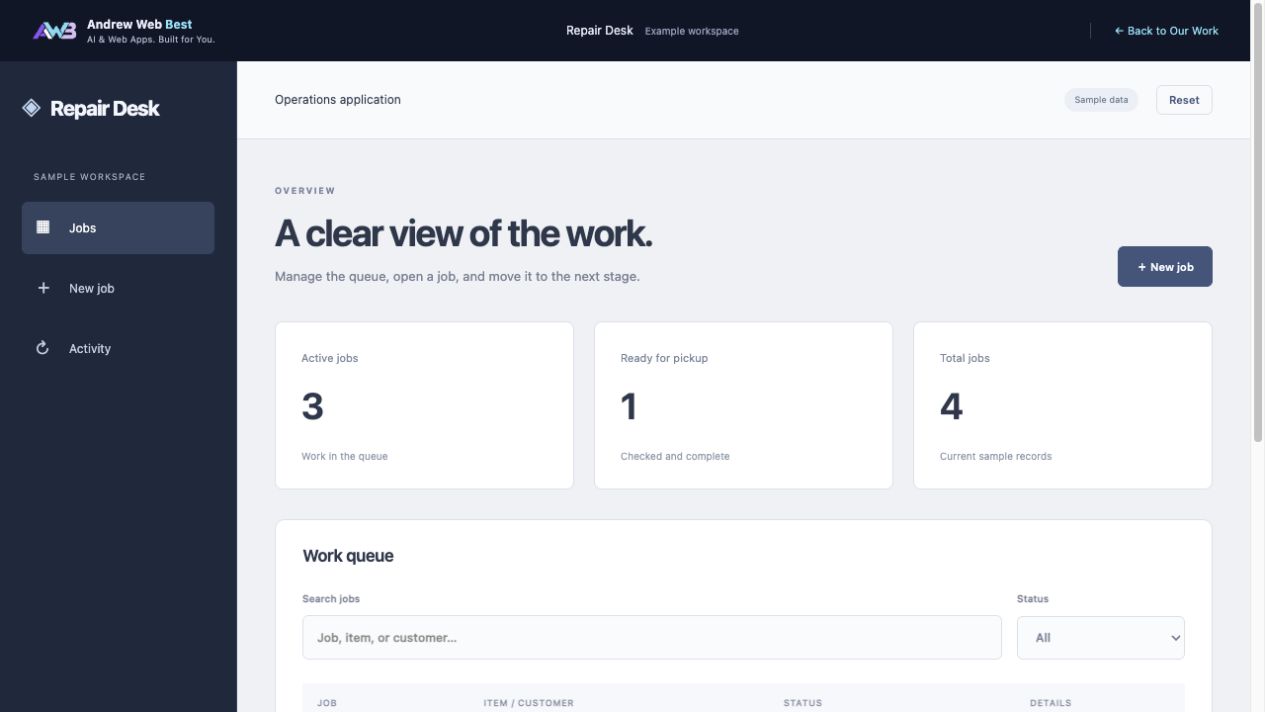
Manage jobs, inspect records, update statuses, add notes, and create new work orders.
Explore the app ↗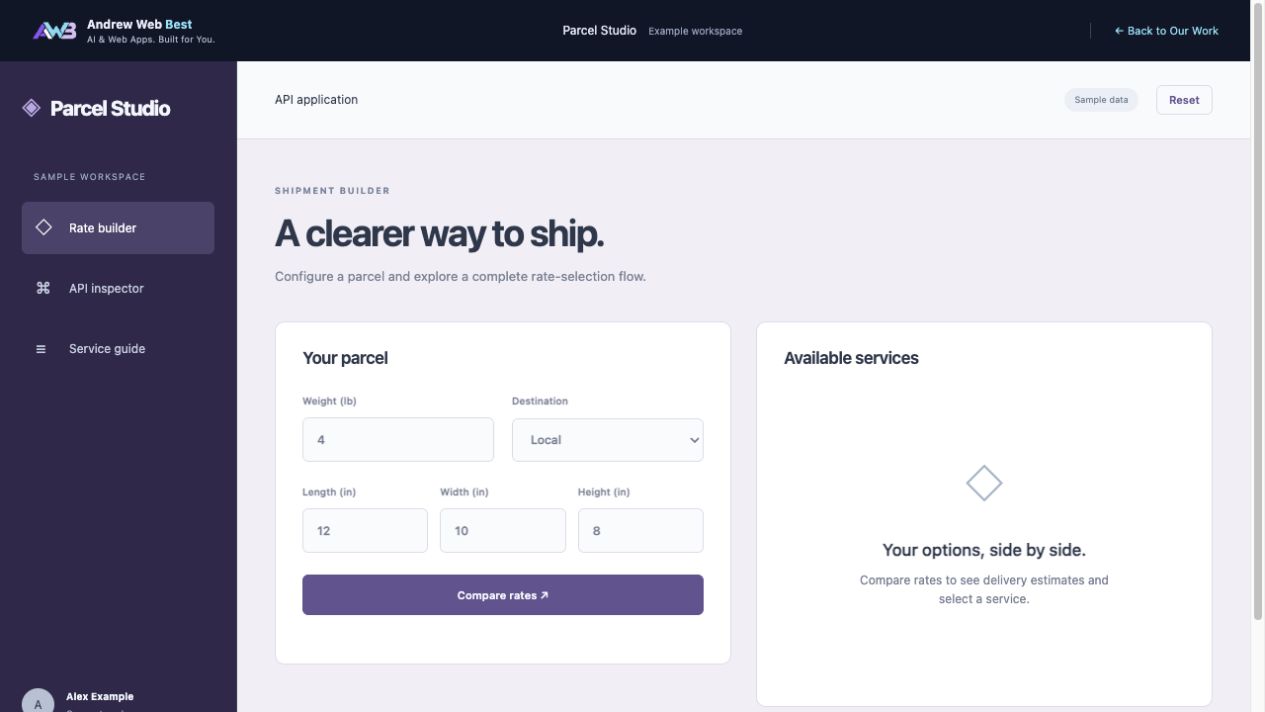
Configure shipments, compare simulated service rates, and inspect structured API output.
Explore the app ↗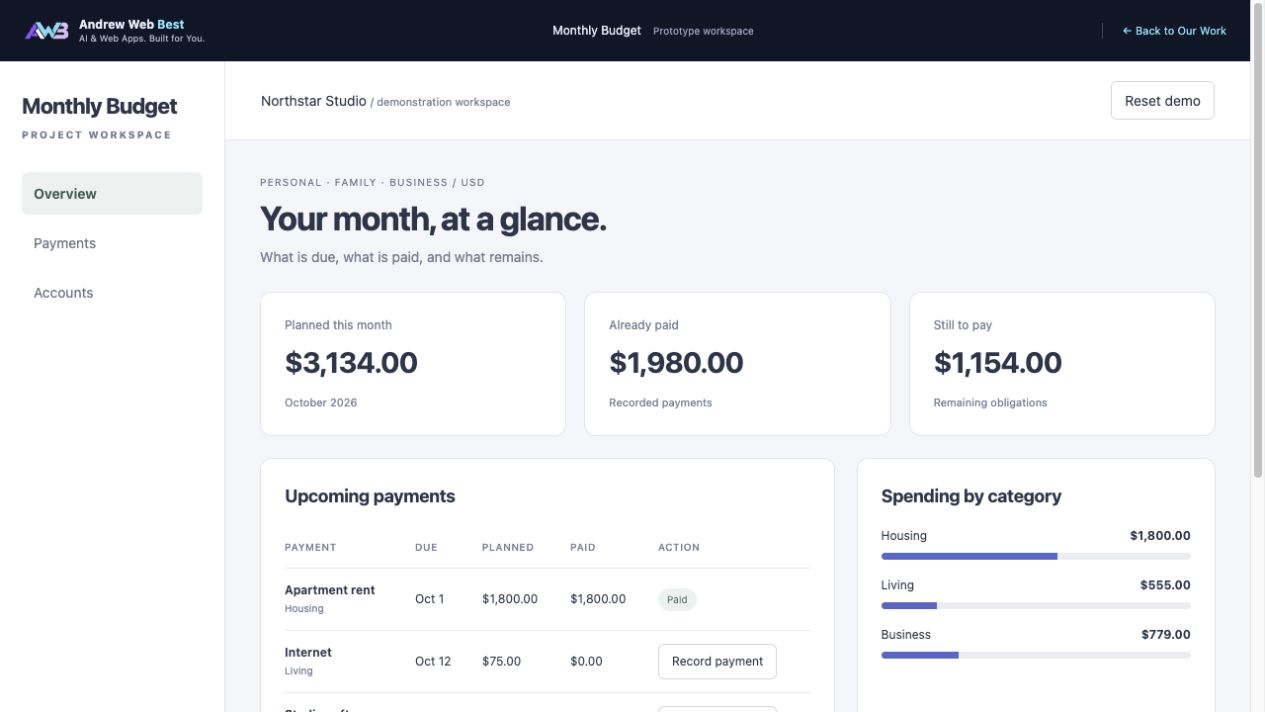
Plan expenses, record payments and inspect account balances. A static adaptation of the Ideas budget project.
Explore the app ↗